
Download Sbracelet APK – Smart Bracelet, Activity Tracker, Health Tracker
Overview
Sbracelet is a free Android application developed by diajidong, designed to serve as a comprehensive health and fitness companion for users of smart bracelets. The software enables seamless synchronization of health and activity data between wearable devices and Android smartphones or tablets. It supports the tracking of key biometrics such as steps taken, calories burned, heart rate, and sleep patterns, including sleep duration. This makes it a practical solution for individuals aiming to monitor and improve their daily wellness routines. The app is particularly suited for fitness enthusiasts, health-conscious users, and anyone seeking a simple way to stay informed about their physical activity levels.
Real-world use cases include daily step goal tracking, monitoring sleep quality over time, and receiving alerts when heart rate exceeds or falls below set thresholds during exercise. The app also supports notification functions that alert users to achievements, inactivity, or specific activity completions, encouraging consistent engagement with fitness goals. Its clean interface and multilingual support enhance accessibility across diverse user groups. While the developer’s background is limited to the provided name, the application’s focus on core health metrics suggests a targeted effort to deliver essential tracking functionality without unnecessary complexity.
Key Features & Capabilities
- Device Synchronization – Seamlessly syncs data from smart bracelets to Android devices, ensuring continuous tracking of health metrics.
- Step and Calorie Tracking – Monitors daily steps and estimates calories burned based on activity levels and user input.
- Heart Rate Monitoring – Tracks heart rate during exercise, providing real-time insights into cardiovascular performance.
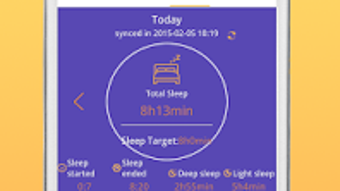
- Sleep Analysis – Records sleep duration and patterns, helping users evaluate sleep quality over time.
- Data Visualization – Displays recorded metrics through interactive graphs for easy trend analysis.
- Smart Notifications – Sends alerts for high or low step counts, activity completion, or missed targets to maintain motivation.
- Activity Reminders – Notifies users of incoming calls or messages directly from the connected bracelet.
- Language Support – Offers multilingual interface options, improving usability for global audiences.
- Device Update Management – Allows users to ensure their wearable device is running the latest firmware version.
These features collectively support users in maintaining an active lifestyle, identifying behavioral patterns, and making informed health decisions. For example, a user aiming to improve sleep might use the sleep duration data to adjust bedtime habits. Similarly, someone training for a fitness goal can leverage heart rate and step tracking to monitor progress. The notification system acts as a gentle nudge, promoting consistency and awareness.
User Interface, Workflow & Performance
Sbracelet features a simple interface with a clean design, prioritizing usability and visual clarity. The layout appears structured to guide users through core functions such as data viewing, settings, and synchronization. Navigation is likely intuitive, with minimal onboarding required, making it accessible to users of varying technical experience. The workflow centers around syncing data from the wearable, reviewing metrics, and adjusting preferences through a streamlined menu system.
Performance details were not specified by the developer. However, based on the app’s size of 20 MB and its focus on data synchronization and display, it is expected to operate efficiently on modern Android devices. The developer did not provide information on CPU or RAM usage. General software behavior patterns suggest stable operation under normal conditions, though actual performance may vary depending on device capabilities and network stability. No reports of crashes or freezes were included in the provided data.
Compatibility & System Requirements
Sbracelet is designed for Android devices, ensuring broad accessibility across smartphones and tablets. The application is compatible with the Android operating system, though specific version requirements were not listed. The installation size is 20 MB, indicating a lightweight footprint that should not significantly impact storage space on most devices. The developer did not specify exact hardware requirements or minimum system specifications.
Compatibility information was partially provided. Users are advised to ensure their Android device supports Bluetooth connectivity for proper synchronization with smart bracelets. The app’s reliance on external hardware means that performance and functionality may depend on the compatibility of the connected wearable. Without further details, it is recommended to verify device compatibility through official sources or trial use.
Pros and Cons
Pros
- Free to download and use with no hidden costs.
- Simple, clean interface with intuitive navigation.
- Comprehensive tracking of steps, calories, heart rate, and sleep.
- Real-time data visualization through interactive graphs.
- Smart notification system for activity and health milestones.
- Supports multiple languages for global accessibility.
- Lightweight at only 20 MB in size.
- Offers device update functionality for optimal performance.
Cons
- Exact system requirements were not listed.
- Performance behavior under heavy usage was not documented.
- No information on data privacy or security protocols.
- Limited to Android platform; no support for iOS or other systems.
- Developer background and company details are minimal.
FAQ Section
Is Sbracelet compatible with all smart bracelets?
Compatibility depends on the specific wearable device and its Bluetooth connectivity standards. The app is designed to work with smart bracelets, but full functionality may vary based on the hardware model.
Is the app safe to use?
The app is free and developed by diajidong. While no security or privacy details were provided, users should ensure their device settings allow trusted app access and avoid granting unnecessary permissions.
How often does the app update?
Users can manually check for updates within the app to ensure the device is running the latest version. Automatic update frequency was not specified.
Does Sbracelet require an internet connection?
Basic data synchronization and tracking functions can operate offline. However, some features like remote notifications or firmware updates may require an internet connection.
Can I use Sbracelet without a smart bracelet?
While the app is designed to sync with smart bracelets, it may not offer standalone functionality. Core tracking features are dependent on connected hardware.
Final Thoughts + CTA
Sbracelet presents a streamlined, free solution for Android users seeking to monitor their health and fitness through smart bracelet integration. Its clean interface, robust tracking capabilities, and smart notification system make it a practical tool for daily wellness management. While limited information on system requirements and security practices is available, the app’s lightweight design and multilingual support enhance its usability. It is particularly beneficial for individuals focused on step counting, sleep tracking, and heart rate monitoring during exercise.
For those using Android devices and wearing compatible smart bracelets, Sbracelet offers a reliable way to stay connected to their health data. Its emphasis on simplicity and functionality positions it as a strong choice among free health and fitness apps. Download Sbracelet now to take control of your daily activity and wellness journey.







